




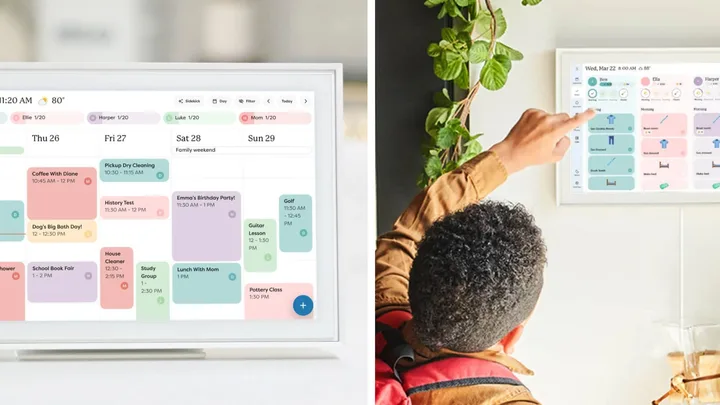
 Image: Skylight
There’s a special kind of chaos that hits when school, work, Pilates, and that one very important dentist appointment all land in the same week. If you’ve been hunting for the best digital calendar to keep it all in check, you’re not alone – especially now, with the viral Kmart version constantly selling out almost as quickly as it hits shelves.
Enter the new wave of digital family calendars. Not the forgotten app buried on your phone, but smart, shareable setups that sync across devices, send reminders (even to the person who ignores them) and make double bookings far less likely. From wall-mounted displays you can glance at mid-breakfast to apps that keep everyone on track while you’re out and about, they’re quickly becoming a staple for busy Aussie families.
The good news? There are some genuinely brilliant options out there. The less good news? There are approximately one million of them, and they all claim to be the answer to your organisational prayers. So, we’ve done the sorting, the testing and the comparing for you.
If we had to pick just one: Skylight Digital Calendar (15-inch)
For the average Australian household, this digital planner (currently $529) is the gold standard. It solves the biggest daily frustration – the invisible mental load – by bringing the entire family’s schedule, chore charts and meal plans into one central, high-definition hub. You can even update last-minute appointments from your phone and have it appear on the kitchen wall instantly.
Is it worth getting a digital calendar?
The short answer is absolutely. While we all have calendars on our phones, they tend to be ‘out of sight, out of mind.’ The real magic of a dedicated digital display is the visibility – having the whole week colour-coded and staring you in the face across the kitchen bench. It can be life changing when it comes to shared responsibility; it means the kids know when it’s library day and your partner can see that dentist appointment without you having to say a word.
It’s also a real win for your mental health. Lydia Black, a psychologist at PSYCH2U, notes that the ‘mental load’ of a household often falls disproportionately on one person. Her advice? Get that to-do list out of your head and onto a shared screen.
“That might be a calendar on the fridge or a list of practical tasks that need to get done which you split among family members. This is good modelling to our kids as well [about running a household].”
Quick look: Find the best digital calendar for your household
| Model | Best for | Price | Top Feature | Buy |
|---|---|---|---|---|
| Skylight Max (27″) | Busy families | $1199 | Large anti-glare display | SHOP NOW |
| Skylight (15″) | Gold standard | $529 | Magic Import flyers | SHOP NOW |
| Kitchee Smart | Premium value | $359.99 | No social distractions | SHOP NOW |
| Echo Show 15 | Smart home | $549 | Built-in Fire TV | SHOP NOW |
| BIGASUO Hub | Kid independence | $259.98 | LED reminder lights | SHOP NOW |
| Dragon Touch | No subscriptions | $259.99 | Star reward system | SHOP NOW |
| Denash 15.6″ | Real-time sync | $249.99 | 32GB photo storage | SHOP NOW |
| NICEMOON | Budget entry | $188.99 | Wall mount & stand | SHOP NOW |
The best digital calendars in Australia 2026
Whether you’re coordinating two calendars or five, these are the best digital calendars in Australia right now.
01
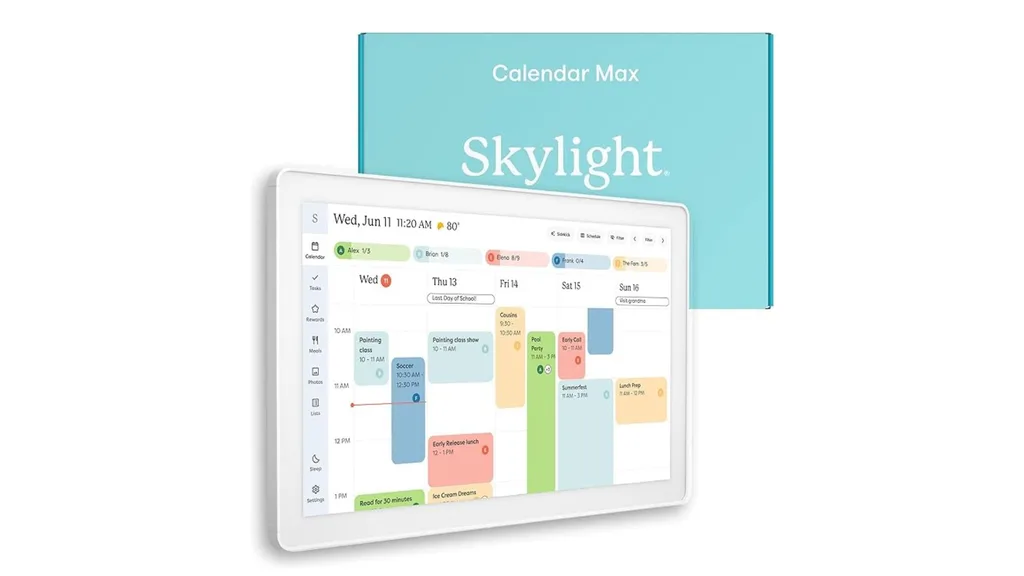
Skylight Calendar Max: 27-inch Smart Digital Calendar & Chore Chart
$1199 at Amazon
Best for: Families with multiple kids and a busy social calendar
If you’ve been down a digital calendar rabbit hole recently, you’ve definitely come across the Skylight. It’s the most searched-for digital calendar in Australia by a mile – and the 27-inch Max version is basically a piece of wall art that happens to run your family’s life.
The HD touchscreen connects with Google Calendar, Apple iCloud, Outlook, Yahoo and Cozi, so existing schedules appear automatically. It also lets you colour-code events by family member, switch between different calendar views and manage chores with a simple reward system for kids. There’s even meal-planning tools and a photo screensaver for when the calendar isn’t in use.
One thing to note is that features like meal planning and Magic Import require a subscription of around $124.99 per year. The core calendar is free, but the extras are where it really shines.
“Absolutely fantastic device and brilliant for getting little ones organised and knowing what they need to do in the mornings, evenings, etc,” shared a recent reviewer on Amazon Australia. “Does take a little bit of time to learn how to set up but once initial set up is done, it’s really straightforward to get things going. Also super easy to sync up with school calendars and other timings in a nice central easy to see location.”
Key features:
- 27-inch HD interactive touchscreen display
- Wall-mountable in portrait or landscape
- Syncs with Google Calendar, Apple iCloud, Outlook, Yahoo and Cozi
- Built-in chore chart and daily planner for family tasks
- Edit schedules remotely via the Skylight mobile app
- Optional Plus Plan unlocks meal planning, Magic Import and rewards tracking
- Photo screensaver mode when the calendar isn’t in use
- Wi-Fi connected with automatic event syncing
Also available at:
02
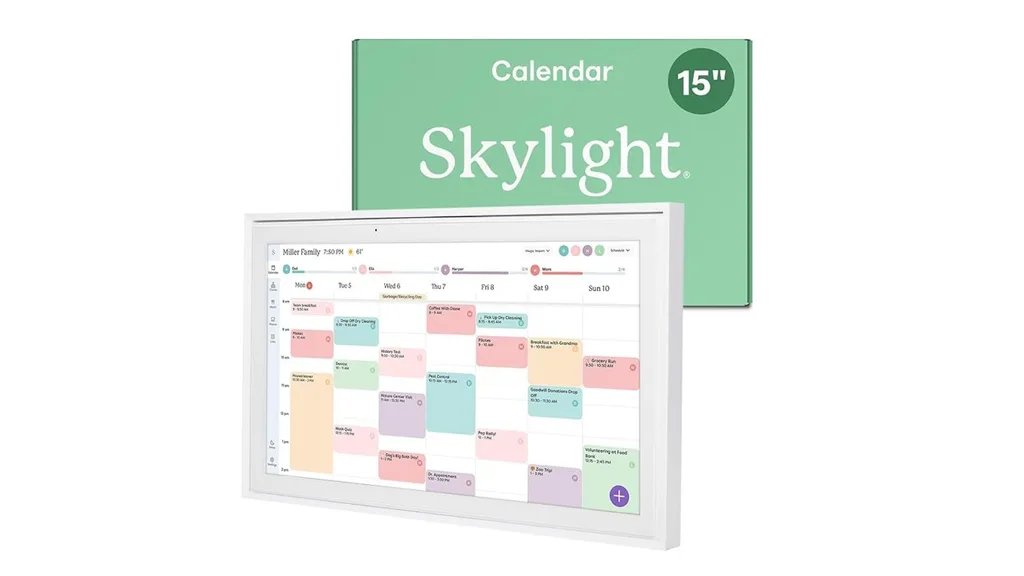
Skylight Calendar: 15-inch Smart Digital Calendar & Chore Chart
$529 at Amazon
Best for: Families who want the gold standard in syncing and software without the large footprint
If the 27-inch Max feels a bit like overkill for your kitchen wall, the 15-inch Skylight is the perfect middle ground. It offers the same polished user interface – which feels much more like a custom-built hub than a standard tablet – but in a more compact size that fits naturally into most Aussie homes. It’s particularly loved for its “set and forget” reliability. Once you link your accounts, everything stays in sync without you having to lift a finger.
Need more convincing? Just look at the 5660+ global ratings on Amazon. One shopper wrote: “It has made family life so much more organised. We have not had take away in 3 weeks due to the meal plan feature. All our appointments and events are easy to see and edit if needed, our work schedule, the kids activities.”
“The fact I can have multiple to-do lists all in the same location is amazing. And everything is all linked to both mine and my husband’s phones. I think everyone’s favourite feature is the photo screensaver that rotates through all the photos we’ve uploaded. We love this product and definitely recommend if you want to be organised.”
Key features:
- 15-inch HD interactive touchscreen display
- Includes both a wall-mount kit and a matching desk stand
- Seamless syncing with Google Calendar, iCloud, Outlook, Yahoo and Cozi
- High-quality Skylight app for remote colour-coded updates and task management
- Personalised chore charts to help build routines and independence in kids
- Built-in meal planning and grocery list tools (via Plus Plan)
- Magic Import feature to quickly digitise paper school schedules and flyers
- Automatic Wi-Fi updates so the whole family stays in sync in real-time
Also available at:
03
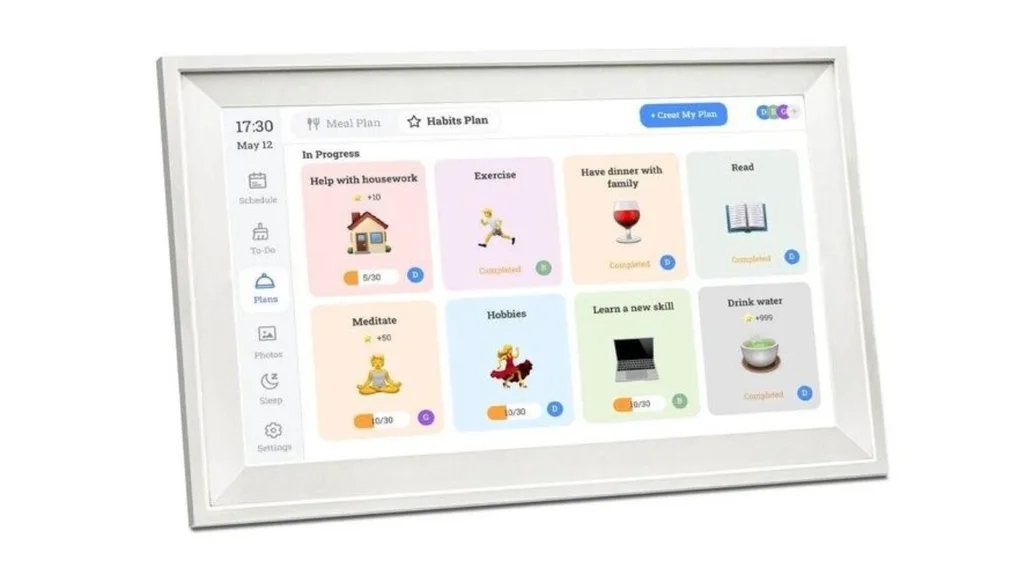
Kitchee 15.6-inch Digital Calendar Smart Family Planner
$349.99 at Big W
Best for: Those who want a luxe look without the $600+ price tag
This is the one everyone is currently eyeing. Big W’s new Kitchee Smart Family Planner mimics the premium look of a Skylight at a very Big W price point – and that’s an enormous win for Aussie families. It syncs seamlessly with Google, iCloud and Outlook, includes meal planning, chore lists and reminders, and can be wall-mounted or sat on a benchtop.
Crucially, it’s a dedicated family hub, meaning there are no social media distractions or random notifications pulling you off task – just your schedule front and centre. Given that the Kmart Digital Family Calendar famously keeps selling out every time it’s re-stocked, this near-identical Kitchee arriving at Big W feels like fate.
“I bought this digital calendar a few months ago and my family and I love it,” said a reviewer who left four stars on the Big W website. “It’s a great price compared to many others on the market, set up was easy and I didn’t experience any issues syncing the digital calendar with my iPhone calendar.”
“It’s super easy to use and has many great features. Unlike the more expensive brands, this digital calendar is not subscription based to access a wide range of features. It’s a great device to keep track of busy schedules, write grocery lists, to-do lists, bills to be paid, add chores for children, plan your weekly dinner meals, plus you can upload all your favourite family photos and use it as a digital photo album.”
Key features:
- 15.6-inch Full HD interactive touchscreen display
- Includes a wall-mounting kit and a removable benchtop stand
- Syncs with Google Calendar, Apple iCloud, Outlook, Yahoo and Cozi
- All-in-one hub for shared schedules, meal planning and chore lists
- Manage events and settings remotely via the iOS and Android app
- Auto-brightness sensor adjusts the screen to suit your room’s lighting
- Photo and video screensaver mode when the calendar isn’t in use
- Wi-Fi connected with automatic real-time updates
Also available at:
04
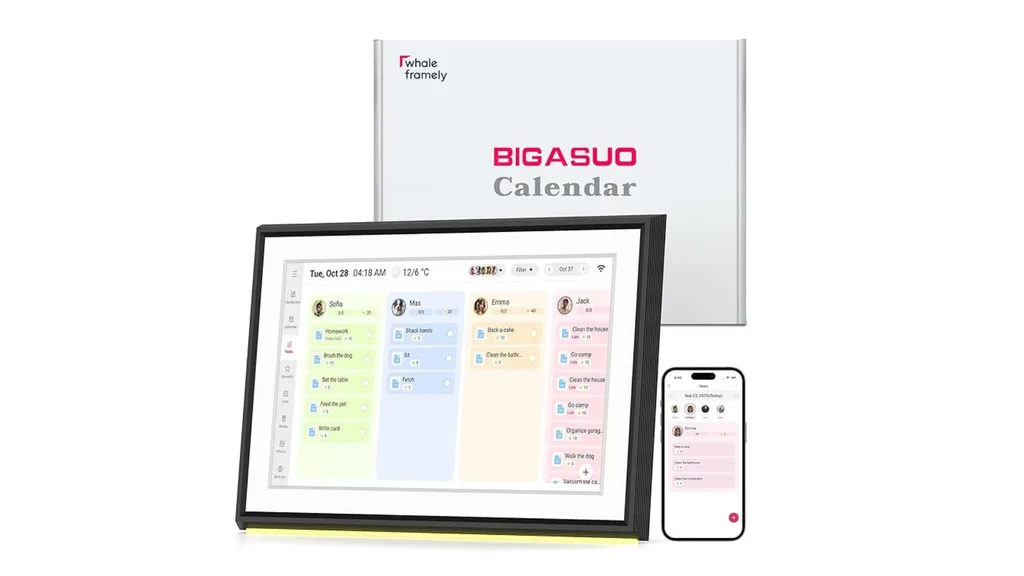
BIGASUO 10.1-inch Digital Calendar
$259.98 at Amazon
Best for: Families who want solid, subscription-free features with fast local shipping
This compact but clever hub is designed to get the whole household on the same page. What we love most is the intuitive colour-coding system; every family member is assigned their own shade and avatar, making it easy to distinguish between soccer practice and doctor’s appointments at a glance. It even has matching LED reminder lights that glow in your specific colour when a commitment is coming up.
Beyond just a schedule, it’s a complete lifestyle tool with a built-in meal planner, shopping lists and a task-and-reward system. It handles the mental load for you, updating in real time so nobody misses a thing.
The BIGASUO calendar has a 4.2 star rating from over 170 global ratings on Amazon, with many parents saying it has helped teach their kids about daily responsibilities and independence. While most users find the setup quick and the display impressively sharp for the price, some have noted that the sync behaviour can take a minute to get used to.
Key features:
- 10.1-inch Full HD interactive touchscreen display
- Two-way sync with Google Calendar and one-way sync with iCloud, Outlook, Cozi and Yahoo
- Colour-coded family profiles with matching LED reminder lights
- Integrated task and rewards system to help manage household chores
- Built-in weekly meal planner and customisable preparation lists
- Real-time updates via a free mobile app for editing schedules on the go
- Digital photo and video frame mode to display family memories when idle
- Compact design that fits perfectly on a kitchen benchtop or bedside table
05
Amazon Echo Show 15
$549 at Amazon
Best for: Smart home lovers who want a calendar, a TV and a recipe book rolled into one
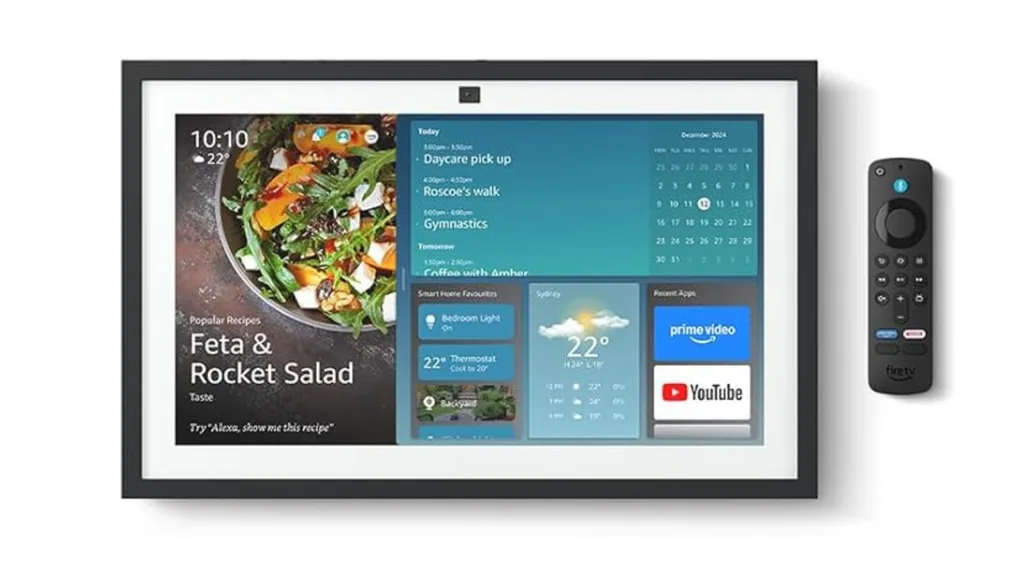
Redesigned in 2025 with a prioritised Family Calendar widget, the Echo Show 15 is for those who want one screen to do absolutely everything. Calendar, smart home hub, digital photo frame, recipe reader, entertainment screen – it’s all here. The built-in Alexa lets you control lights and locks by voice, or add to your shopping list while your hands are covered in flour. You can even follow a recipe while checking school pickup times. Now that’s multitasking!
It isn’t quite as calendar-focused as a dedicated device like the Skylight, but if you’re already in the Amazon ecosystem, it couldn’t be easier. Just note that it comes ready to wall-mount, so you’ll need to grab the stand separately if you prefer it on your benchtop.
“Absolutely love this one,” wrote a five-star reviewer on Amazon. “I found a Reddit of someone who managed to get some screws and really strong magnets to put it in the fridge. I did the same and it works sooo well. It’s our shopping list, calendar, music device and, with the Alexa app, we can video call as well. Only downside is it doesn’t do WhatsApp/FaceTime.”
Key features:
- 15.6-inch Full HD touchscreen display with 1080p resolution
- Built-in Fire TV for streaming apps like Netflix, YouTube and Prime Video
- Customisable home screen with widgets for calendars, to-do lists and weather
- Smart Home Dashboard to control lights, plugs and view live camera feeds
- Upgraded 12MP camera with auto-framing and 3.3x zoom for video calls
- Syncs with shared Google, Microsoft and iCloud calendars
- Doubles as a digital photo frame with auto-curated galleries
- Wall-mountable in portrait or landscape orientation (stand sold separately)
Also available at:
06
Dragon Touch 10.1-inch Digital Calendar Chore Chart
$259.99 at Amazon
Best for: Families who want an easy, no-subscription organiser right out of the box
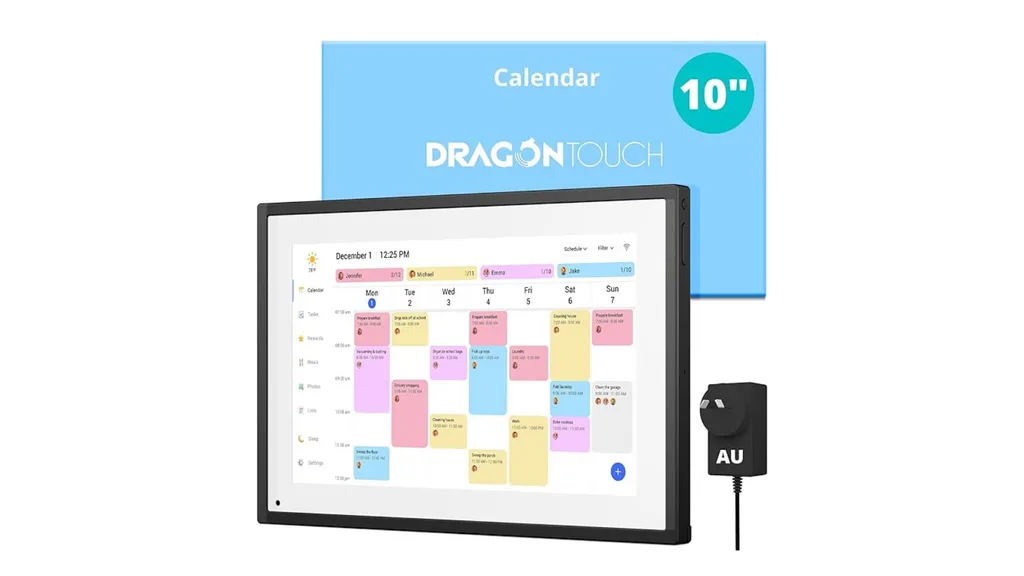
Dragon Touch’s digital calendar is a straightforward, full-service family planning hub that handles the heavy lifting of household organisation without the monthly subscription fees. It gives you a chore chart, dinner planner, grocery list and calendar syncing right out of the box. While it comes in various sizes – including 15.6-inch and 27-inch versions for those wanting a larger display – the 10.1-inch model is a great, compact choice for a kitchen benchtop or home office.
It’s been described by users as a “modern family command centre,” particularly for its colour-coded chore system that lets kids earn stars for custom rewards. While some reviewers have noted occasional software updates, the responsive customer service makes it a reliable, high-value alternative to the big-name brands.
“I am in LOVE with my calendar! It helps my husband and I stay organised,” said a recent reviewer on Amazon Australia. “I love how it is also a digital photo frame. We have it in our lounge room. The app is brilliant! We allocate ourselves daily tasks and have our grocery list set-up.”
“Everything is in one place. The app is included, so no extra fees, which is why I chose Dragon Touch over other digital calendars. They are also always improving the app, so it keeps getting better and better! This digital calendar is a game changer. I wish I bought it sooner.”
Key features:
- 10.1-inch Full HD interactive touchscreen display
- Designed for desk or benchtop use (stand-alone only, no wall mount)
- Syncs with Google Calendar, Apple iCloud and more via the eCalendar app
- Interactive chore chart with a “star” reward system for kids
- Built-in tools for dinner planning, grocery lists and daily reminders
- No subscription required for core features like syncing and task management
- Doubles as a digital photo frame
- Plug-and-play setup with an included AU power adapter
07
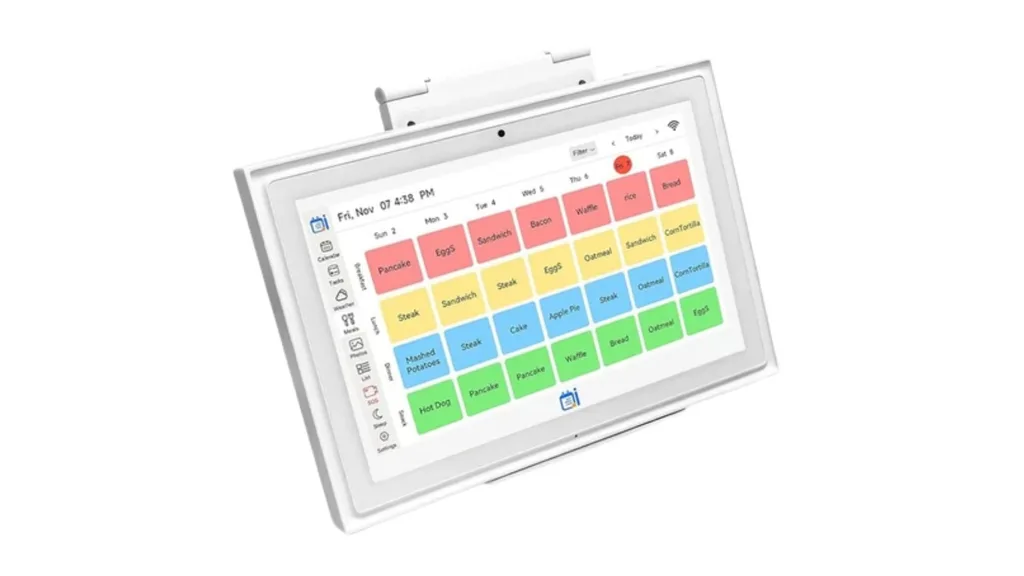
Denash 15.6-inch Digital Calendar
$239.99 at Amazon
Best for: Households who want a big screen without the big price tag
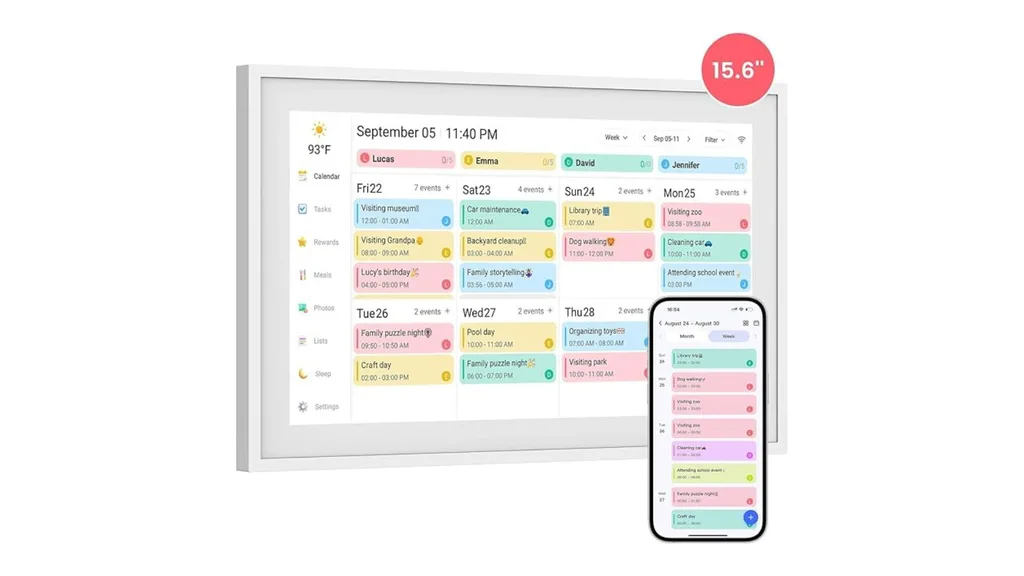
Want the functionality of a premium wall planner, minus the price tag? This digital calendar delivers. The large touchscreen makes it an easy focal point, whether it’s styled in the hallway or sitting pretty on the kitchen benchtop with the included stand.
Unlike many entry-level models, it supports two-way syncing across all major platforms – meaning a change made on the screen reflects on your phone instantly, and vice versa. With a generous 32GB of built-in memory, it also functions as a high-capacity digital photo album, letting you cycle through family memories in crisp HD when the schedule isn’t in use.
One Australian reviewer recently shared on Amazon: “So amazing. This was a gift for my daughter and she loves it! The set out and different colours for each person. My little grandson can tick off his jobs for the day. The meal planning and the photo screen are so good. I definitely think this a great product.”
Key features:
- 15.6-inch Full HD (1080p) responsive IPS touchscreen display
- Two-way real-time sync with Google Calendar, iCloud, Outlook, Cozi and Yahoo
- Supports both horizontal and vertical display for wall mounting or desktop use
- Interactive, colour-coded chore chart and weekly meal planning tools
- 32GB of internal storage for photos and videos with expandable memory slot
- Built-in dual stereo speakers and customisable energy-saving sleep mode
- Managed via the Fotocube app for easy remote schedule updates
- Simple plug-and-play setup with an included AU power adapter
08
NICEMOON 10.1 Inch Smart Digital Calendar Planner & Chore Chart
$220.99 $159.02 at Kogan
Best for: Budget-conscious households looking for a quality smart calendar under $200
If you’re curious about digital calendars but aren’t quite ready to drop a fortune, the NICEMOON is a fantastic entry point. Currently available at Kogan, it packs many of the same features as the bigger brands – like colour-coded scheduling and a digital photo frame mode – at a fraction of the price. It’s also one of the few at this price point that includes both the wall-mount kit and a stand in the box, giving you more freedom to decide where it fits best in your home.
It syncs with all the usual suspects (Google, iCloud, Outlook and Cozi) and features a dedicated Basic Plan on its app that covers your essential dinner plans and chore charts for free. While it’s a more compact 10.1-inch screen, it still offers a sharp HD display, making it a handy little helper for a bedside table or a busy kitchen benchtop.
Key features:
- 10.1-inch HD interactive touchscreen display
- Includes both a wall-mount kit and a removable stand
- Syncs with Google Calendar, Apple iCloud, Outlook, Cozi, and Yahoo
- Built-in interactive chore chart and dinner planner tools
- Basic Plan includes free access to core scheduling and list features
- Digital photo frame mode for sharing photos and videos via the app
- Integrated camera for potential future-proofing and video functions
- Reliable Wi-Fi connectivity with a simple plug-and-play setup
What features should I look for in the best digital calendar?
With so many options now available, it helps to know what actually matters before you buy. Here’s what’s worth paying attention to:
Screen size and placement
Think about where it will live in your home. A 10-inch screen on a kitchen benchtop is handy; a 27-inch wall-mounted display is a statement piece that the whole household can see from across the room. Neither is wrong; it just depends on your space and how many people need to see it daily.
Syncing capability
This is the big one. A digital calendar that doesn’t talk to your existing Google, iCloud or Outlook calendar is just a very expensive sticky note. Look for two-way syncing, which means changes made on the screen reflect on your phone instantly – and vice versa.
Subscription fees
Some of the best features (meal planning, Magic Import, rewards tracking) are locked behind an annual subscription. It’s not a deal-breaker, but it’s worth factoring into the real cost before you fall in love with the full feature set.
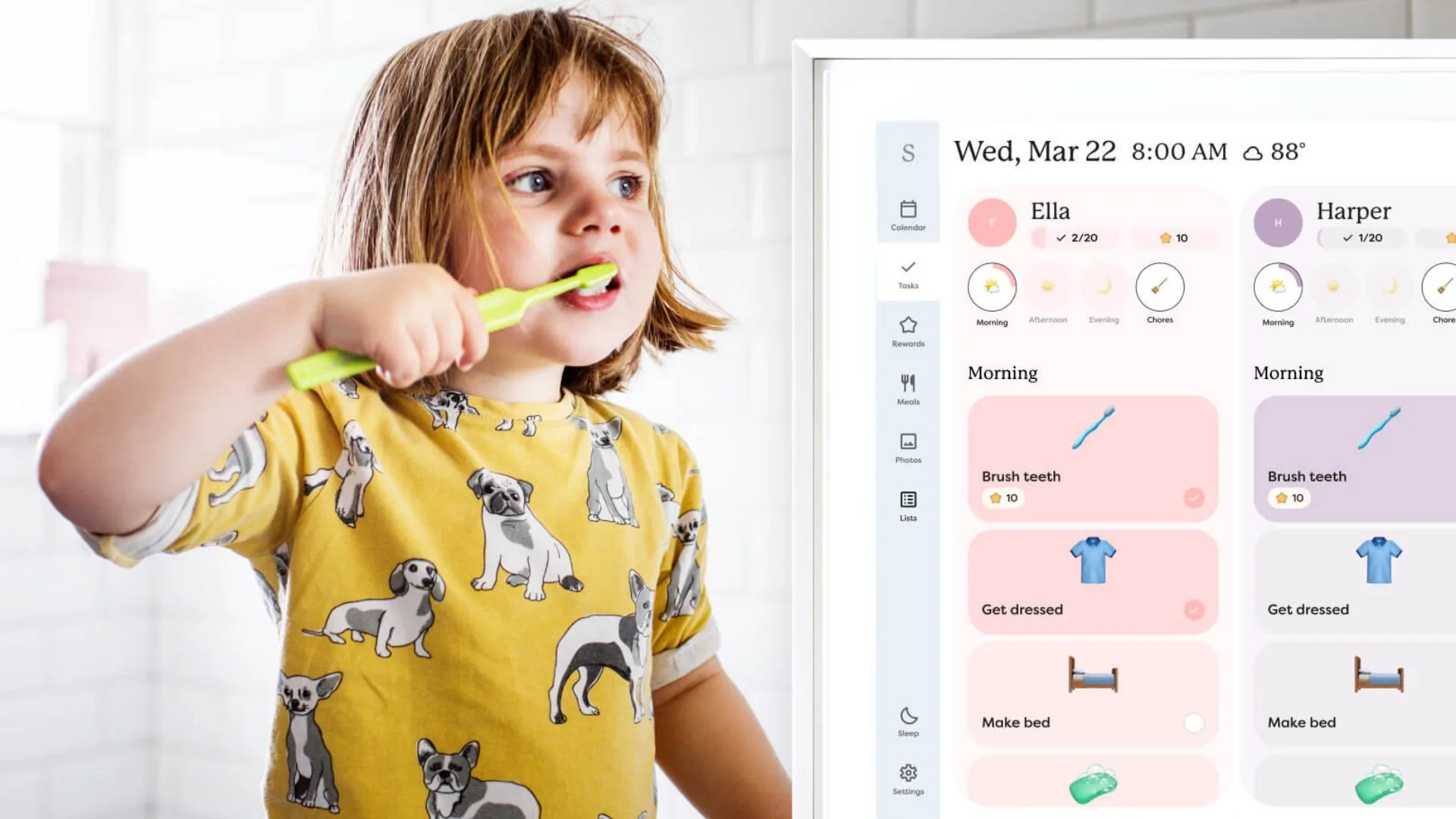
Chore and task management
If you have kids, this is a game-changer. Colour-coded chore charts with reward systems are worth their weight in gold for building routines and – dare we say it – getting children to actually do things without being asked multiple times.
App quality
Most digital calendars come with a free smartphone app. A good app means you can update the family calendar remotely, which is exactly what you need when you’re booking a dentist appointment on your lunch break and want everyone at home to know about it immediately.
How do these compare to the Kmart digital calendar?
Kmart’s 15.6-inch Digital Family Calendar became something of a national obsession when it launched during Black Friday 2025. Priced at $199, it sold out in minutes – making headlines and triggering a social media frenzy in the process. Kmart confirmed that demand reached “unprecedented levels,” with the calendar selling out online and in store within the first day of sales, and committed to restocking in 2026.
So what made it such a hit? It lets you track everyone’s schedule, assign colour-coded tasks to family members, and keep grocery lists and dinner plans all in one place – which is exactly what every calendar in our list above does, too.
The Kmart calendar wasn’t necessarily the best – just the most affordable big-screen option at the time, and one that happened to be available at a shop Australians already love. The alternatives above match it feature for feature, and in many cases go further – with larger screens, better syncing, chore reward systems and dedicated apps that are actually supported long-term.
If you can get your hands on the Kmart one, great. But given it’s been near-impossible to find since launch, the good news is you’re not missing out – you’re just upgrading.
Best digital calendar 2026: More frequently asked questions
While the “best” depends on your space, the Skylight Calendar is currently the gold standard for Australian families due to its polished interface and ‘set and forget’ reliability. For those wanting a larger, wall-mounted “command centre,” the Skylight Max 27-inch is the premium pick, while the Kitchee (Big W) and Dragon Touch are excellent, high-value alternatives that don’t require a subscription.
Skylight has earned a cult following because it is purpose-built for families, not just a repurposed tablet. It features a seamless Magic Import tool for school flyers, intuitive colour-coding for different family members, and a built-in chore and reward system. Its popularity in Australia is backed by a highly responsive app and a design that looks like high-end home decor rather than a piece of tech.
Yes. Most top-rated digital calendars, including Skylight, Echo Show and the Kitchee, offer two-way syncing with Google Calendar, Apple iCloud, Microsoft Outlook, Yahoo and Cozi. This means when you add an appointment to your phone on the way home from work, it automatically appears on the kitchen display for the rest of the family to see in real-time!
It varies by brand. Many models, like the Dragon Touch and NICEMOON, offer all their core features (syncing, chores and lists) for free. Premium brands like Skylight offer a free basic version, but require an optional Plus subscription (approx. $124.99 per year) to unlock extras like meal planning, photo screensavers and the ability to auto-import events from emails or PDFs.
The biggest difference is visibility. While a phone calendar is private and easily ignored, a digital wall display makes the mental load of the household visible to everyone. It acts as a central hub where kids can check their own schedules and partners can see the week at a glance without needing to be told. It’s about moving the family’s schedule out of your head and into a shared space.
How we determined the best digital calendars in Australia for 2026
At The Australian Women’s Weekly, we’ve been helping Aussie families run their homes for over 90 years. Our shopping experts don’t just look at spec sheets; we look at how these products actually fit into a busy life.
While we haven’t personally mounted every one of these displays in our own kitchens, our recommendations are based on years of lifestyle reporting and real-world feedback from Australian families.
We evaluated the top-rated models locally against these key pillars:
- Syncing reliability: We prioritised calendars that offer seamless, two-way syncing with Google, iCloud and Outlook to ensure no appointments disappear.
- Ease of use: A family hub is only helpful if everyone can use it. We looked for intuitive touchscreens and set and forget software that doesn’t require a tech degree to navigate.
- The ‘Mental Load’ factor: We looked for integrated tools like chore charts, meal planners and automated reminders that actively help share household responsibilities.
- Aesthetic & build: Since these are permanent fixtures, we looked for sleek, high-definition displays that look like wall art, not just a bulky tablet.
- Subscription value: We weighed up the hardware cost against any ongoing monthly fees to ensure you’re getting a fair deal for the features unlocked.
- Real-world feedback: We analysed thousands of customer reviews and expert insights to see how these units hold up in busy, high-traffic Australian homes.
Related articles:
- That gruelling humidity is here to stay: 10 personal cooling fans that will actually help
- Get fit while you work with these desk-friendly walking pads for small spaces
- No time to workout? These vibration plates are everywhere right now

Related stories

Native ad body.

Native ad body.




Native ad body.