





There is a very specific kind of post-holiday blues that has nothing to do with leaving the beach and everything to do with opening your first mobile phone bill after landing back in Australia.
One minute, you’re wandering through a sun-drenched European village, spotting a gorgeous boutique restaurant and pulling out your phone to check the menu or send a quick video to the group chat. It’s pure bliss – until you realise your phone carrier has quietly slugged you a $10 fee simply for stepping off the Wi-Fi network.
With more than half of us currently planning an overseas getaway, avoiding roaming charges has become a major part of pre-travel planning. In fact, a massive national survey by Optus revealed that 82% of Aussie travellers actively worry about or have been hit by surprise roaming fees.

The hidden culprits behind surprise phone bills
Most of the time, our phones are spending money behind our backs. Before you even head to the departure gate, it pays to know exactly why those charges pile up so quickly – and how easy it is to avoid roaming charges with a few simple tweaks:
- Background app updates: Apps like Instagram and Facebook constantly refresh their feeds in the background, consuming heavy data even while your phone is locked in your handbag.
- Automatic photo syncing: Your phone loves to back up your high-resolution holiday snaps immediately. If it tries to sync hundreds of photos to iCloud or Google Drive using international mobile towers rather than hotel Wi-Fi, your data limit will vanish in minutes.
- The automatic daily trap: Many standard Australian phone plans automatically activate a pricey ‘daily roaming pass’ (usually $5 to $10 a day) the second your phone receives a random text message or an incoming call overseas. Over a three-week holiday, that can quickly add up to hundreds of extra dollars.
6 easy ways to stay connected without the big bill
Thankfully, staying connected doesn’t mean spending your holiday hunting for sketchy café Wi-Fi or standing in messy airport lines. From clever digital tricks to handy travel gadgets, here are six easy ways to avoid roaming charges overseas.

1. For a seamless digital setup
Nomad Travel eSIM
Pricing varies by destination & plan
If you want your phone to work seamlessly the exact second your flight touches down, a digital travel SIM is the easiest modern solution.
In reality, an eSIM is simply a digital version of the physical SIM card already inside your phone. With the Nomad Travel eSIM, you can purchase and install a data plan for your destination before you even leave Australia. Once you arrive, switch your phone to the Nomad eSIM plan and start using local data for maps, messaging and browsing, while keeping your Australian number active for important texts.
SHOPPING TIP: Looking for the best travel eSIMs? Read our full guide to the top options for overseas trips here.
2. For families and multiple devices
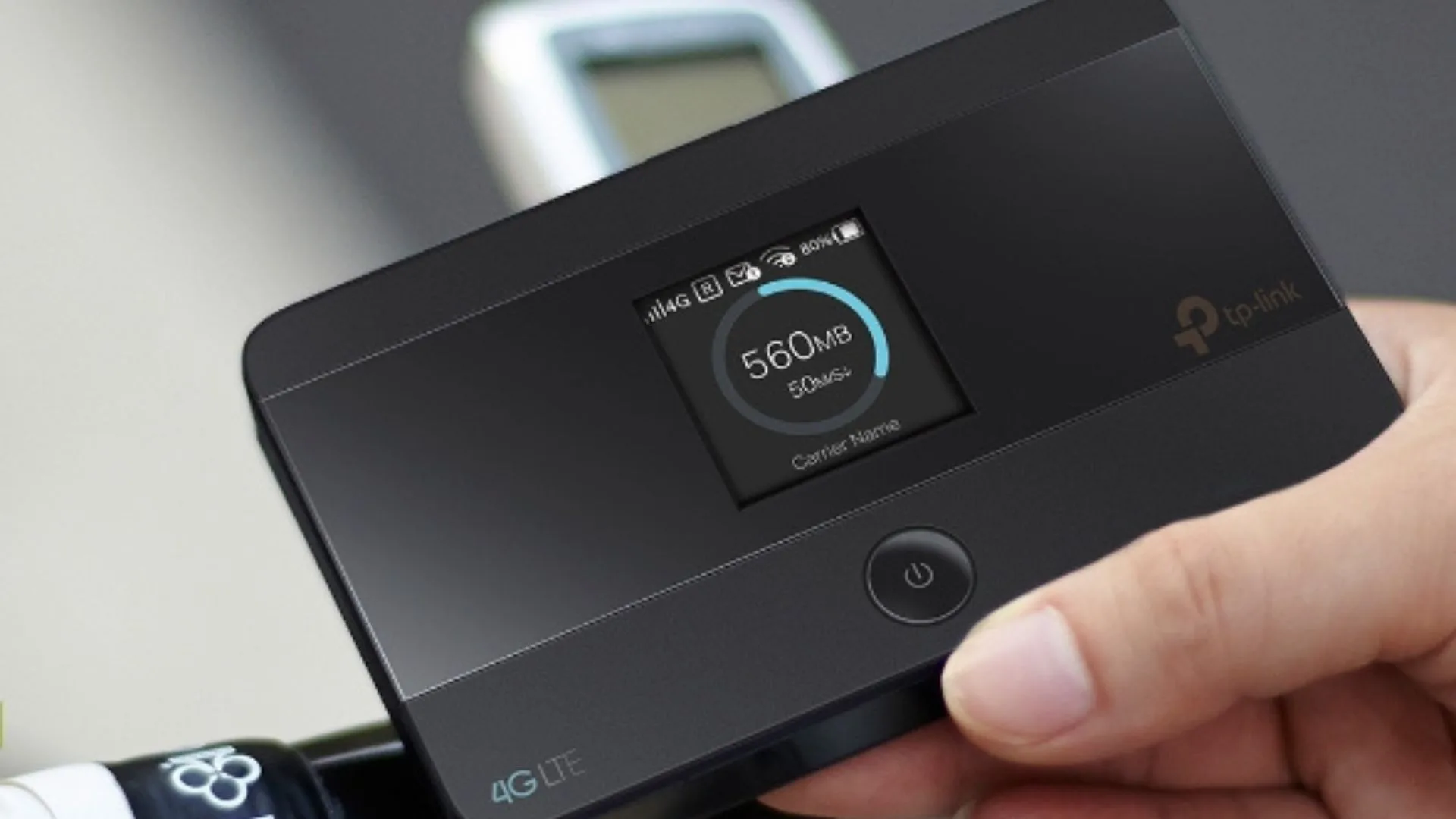
TP-Link 4G LTE Mobile Wi-Fi M7350
$89.17 at Big W
If you are travelling with a partner, grandchildren, or carrying multiple devices like an iPad and a Kindle, managing individual data plans can quickly become expensive and confusing. The smartest approach here is bypassing your phone’s network entirely and bringing a single, private Wi-Fi network along with you.
This artful, pocket-sized gadget from TP-Link solves this problem instantly. By simply inserting a local prepaid data SIM card, it creates a secure, personal Wi-Fi bubble that lets you instantly share high-speed internet with up to 10 devices simultaneously – including tablets, phones and laptops.

3. For short trips and maximum convenience
Tangerine International Roaming Packs
Pricing varies by destination & plan
If you prefer not to change settings or download anything before you travel, international roaming packs are still one of the simplest ways to stay connected overseas.
Tangerine’s travel packs work as a once-off add-on that includes a set amount of data, calls and SMS for eligible countries. Once activated, you simply use your phone overseas as you would at home until your allowance runs out or the pack expires.

4. For traditionalists and older phone models
Orange Holiday International Travel SIM
Pricing varies by destination & plan
If your trusty smartphone is an older model, or if you simply prefer the comfort of a traditional, tangible setup over navigating confusing digital menus, a physical travel SIM remains a completely foolproof choice.
The most seamless approach is ordering a pre-activated international SIM card – such as the globally trusted Orange Holiday roaming chips – well before you begin packing your bags. It arrives straight to your doorstep, meaning you can casually swap the tiny plastic chip while relaxing on the plane, leaving you ready to connect the very moment you land.
Once your wheels touch the tarmac, your handset will connect straight to premier local networks at local rates. The only real trick is keeping your microscopic Australian SIM card safe while you’re away. We highly recommend tucking it securely into a zipped pocket of your travel wallet or passport holder until you safely return to home soil.

5. For the budget-conscious who prefer free Wi-Fi
A Secure Travel VPN from NordVPN
Pricing varies by subscription plan
Do you prefer to disconnect entirely and spend absolutely nothing on international data? You can successfully navigate your holiday relying purely on free hotel and café Wi-Fi. However, logging into public networks in airports and crowded tourist hubs can leave your personal information vulnerable.
A Virtual Private Network (VPN) is a clever piece of digital security that acts like a private, encrypted tunnel for your phone. By activating a trusted service like NordVPN before you log onto a café’s network, you can check your Australian bank accounts, pay for tickets, and check emails with absolute peace of mind, knowing your data is shielded from prying eyes.
6. For the forgetful traveller
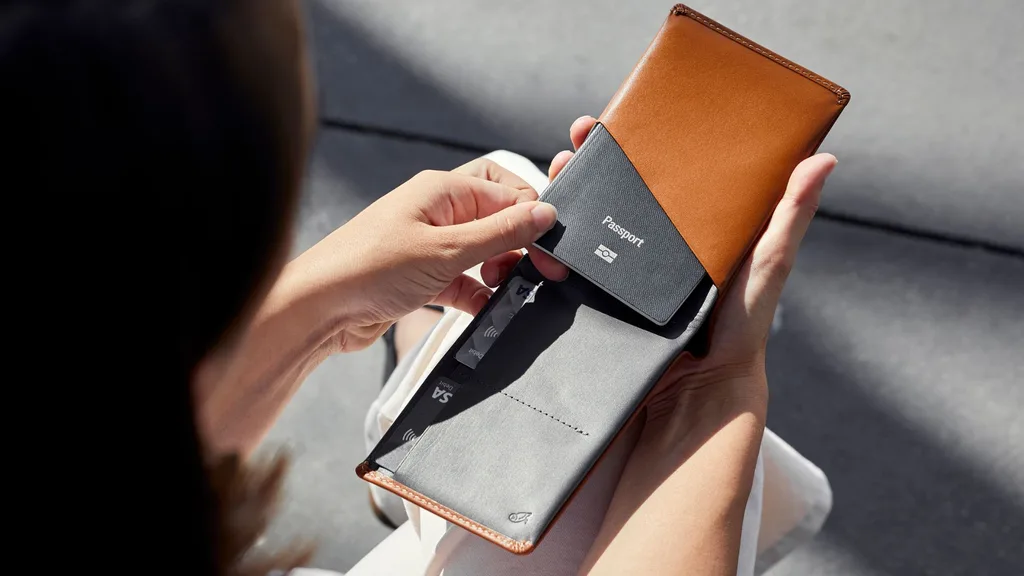
Bellroy Travel Wallet
$199 at Bellroy
If you do choose the physical SIM card swap, the most nerve-wracking part of the process is keeping your tiny Australian SIM card safe until you return. Because it is no larger than a fingernail, it is tragically easy to lose in the depths of a handbag or a hotel drawer.
Investing in a beautiful, structured leather travel wallet – such as those by premium brands like Bellroy – is the ultimate stylish solution. Look for elegant folios designed specifically for organised travel, which feature custom, microscopic slots to keep your SIM cards and an ejector pin tool safely zipped away alongside your passport.
How do I check if my phone is unlocked for international SIM cards?
Before you invest in a clever travel eSIM or a physical international card, it’s important to make sure your handset is unlocked so you can avoid roaming charges. If your phone is under an active network payment contract (with Telstra, Optus, or Vodafone), it may automatically reject a foreign SIM.
Checking this takes less than 30 seconds and is best done while you are still at home:
- For iPhone users: Head to Settings > General > About. Scroll down to find Network Provider Lock. If it says “No SIM restrictions,” your phone is completely unlocked and ready for any travel plan.
- For Android users: Head to Settings > Connections > Mobile Networks > Network Operators. Tap “Search Now” to see if rival carrier networks appear. Alternatively, simply pop a friend’s SIM card (from a different network than yours) into your handset to see if you can still make a call.
What phone settings should I change before landing overseas?
To make sure your primary Australian carrier doesn’t quietly trigger an expensive daily roaming fee the moment your flight touches down – and to help you avoid roaming charges – you just need to adjust a few quick settings while sitting at the departure gate.
If you’re using a digital option like the Nomad eSIM, head into your phone’s Cellular/Mobile Data settings. Ensure that Data Roaming is switched off for your primary Australian SIM, and switched on strictly for your newly downloaded travel profile.
If you have decided to rely purely on free hotel Wi-Fi instead, turn off Background App Refresh and pause your automatic iCloud or Google Photos backups so your phone isn’t secretly spending data inside your handbag!
How to avoid roaming charges – more frequently asked questions:
No, your WhatsApp will remain completely unchanged. When you switch your phone’s internet data over to a travel SIM or eSIM, the app will automatically recognise your account and ask if you would like to keep your existing Australian mobile number. This means all of your current group chats, messages and contacts stay perfectly intact while you are away.
Yes, provided you set your phone up correctly. If you use an eSIM for your holiday data, you can keep your primary Australian physical SIM card active in the background. Because Australian carriers don’t charge you to receive a standard text message while overseas, your phone will still be able to collect critical bank verification codes and two-factor authentication texts for free. Just make sure you don’t answer any incoming calls or send texts back on that line.
No, standard travel SIMs, eSIMs and international roaming packages will not work while you’re at sea. When you’re away from land, your mobile phone will attempt to connect to incredibly expensive maritime satellites instead. To avoid a shockingly high bill when you return home, always switch your device completely to Airplane Mode the moment your cruise ship leaves port, and rely strictly on the ship’s official onboard Wi-Fi packages.
It is almost always cheaper – and significantly less stressful – to organise your travel connectivity before leaving Australia. Airport kiosks at international arrival terminals are notorious for charging premium tourist prices and pushing restrictive data limits. Purchasing a travel eSIM via an app or ordering a pre-activated card beforehand lets you compare rates calmly and enjoy an instant internet connection the moment you land.
Related articles:
- These travel packing hacks will double your suitcase space (no matter where you’re going)
- Still paying expensive roaming fees? These travel eSIMs will save you hundreds overseas
- Practical gift ideas people actually want (but rarely buy themselves)

Related stories

Native ad body.

Native ad body.




Native ad body.